Hubssense
TooCust Time Clock for Small Business - Auto-Align Punch Machine with 50 Time Cards & Security Keys
Couldn't load pickup availability
- ๐ฃ๐น๐ฒ๐ฎ๐๐ฒ ๐ก๐ผ๐๐ฒ - This time clock is only suitable for punching 7.1''ร2.4'' time cards. It is recommended that you use the matching time cards provided by our store. If using other time cards, please select the correct size. Besides, We simplified the instructions for a quick start video on the page below.
- ๐ฃ๐ฟ๐ฒ๐ฐ๐ถ๐๐ฒ ๐ง๐ฟ๐ฎ๐ฐ๐ธ๐ถ๐ป๐ด - The attendance machine eliminates the need to manually input employee attendance. It can precisely track the employees' clock in/ out times, break times, and lunch times weekly, biweekly, semimonthly, or monthly. ๐ก๐ผ๐๐ฒ: ๐จ๐ป๐ฑ๐ฒ๐ฟ ๐๐ต๐ฒ ๐บ๐ผ๐ป๐๐ต๐น๐ ๐ฝ๐ฎ๐ ๐บ๐ผ๐ฑ๐ฒ, ๐๐ต๐ฒ ๐ฑ๐ฎ๐๐ฒ ๐ถ๐ ๐ฝ๐ฟ๐ถ๐ป๐๐ฒ๐ฑ ๐ผ๐ป ๐๐ต๐ฒ ๐๐ถ๐บ๐ฒ ๐ฐ๐ฎ๐ฟ๐ฑ. ๐จ๐ป๐ฑ๐ฒ๐ฟ ๐๐ต๐ฒ ๐๐ฒ๐ฒ๐ธ๐น๐/ ๐ฏ๐ถ-๐๐ฒ๐ฒ๐ธ๐น๐ ๐ฝ๐ฎ๐ ๐บ๐ผ๐ฑ๐ฒ, ๐๐ต๐ฒ ๐๐ฒ๐ฒ๐ธ๐ฑ๐ฎ๐๐ ๐ฎ๐ป๐ฑ ๐๐ฒ๐ฒ๐ธ๐ฒ๐ป๐ฑ๐ ๐ฎ๐ฟ๐ฒ ๐ฝ๐ฟ๐ถ๐ป๐๐ฒ๐ฑ ๐ผ๐ป ๐๐ต๐ฒ ๐๐ถ๐บ๐ฒ ๐ฐ๐ฎ๐ฟ๐ฑ.
- ๐๐๐๐ผ ๐๐น๐ถ๐ด๐ป & ๐๐๐๐ผ ๐๐ฎ๐ฟ๐ฑ ๐๐ฒ๐ฒ๐ฑ - The time clock enables to card feed automatically and identifies the front and back of the time card by itself. If the card is not on the correct side, it will automatically return the time cards. ๐ก๐ผ๐๐ฒ: ๐๐ณ ๐๐ผ๐ ๐๐ฎ๐ป๐ ๐๐ผ ๐๐๐ฒ ๐๐ผ๐๐ฟ ๐ผ๐๐ป ๐๐ถ๐บ๐ฒ ๐ฐ๐ฎ๐ฟ๐ฑ๐, ๐ฝ๐น๐ฒ๐ฎ๐๐ฒ ๐๐๐ฟ๐ป ๐ผ๐ณ๐ณ ๐๐ต๐ฒ ๐ฎ๐๐๐ผ-๐ฎ๐น๐ถ๐ด๐ป ๐ณ๐๐ป๐ฐ๐๐ถ๐ผ๐ป.
- ๐ง๐๐ผ-๐ฐ๐ผ๐น๐ผ๐ฟ ๐ฃ๐ฟ๐ถ๐ป๐๐ถ๐ป๐ด - Different-color printing can clearly show the attendance of the employee. Black printing indicates that the employee clocks in/ out on time. Red printing indicates that the employee is late or leaves early.
- ๐ฃ๐ฎ๐ฐ๐ธ๐ฎ๐ด๐ถ๐ป๐ด - Includes TooCust Electronic time clock, 50 pieces time cards, 2 keys, one ink ribbon, and the instructions.
Employee Time Clock for Small Business
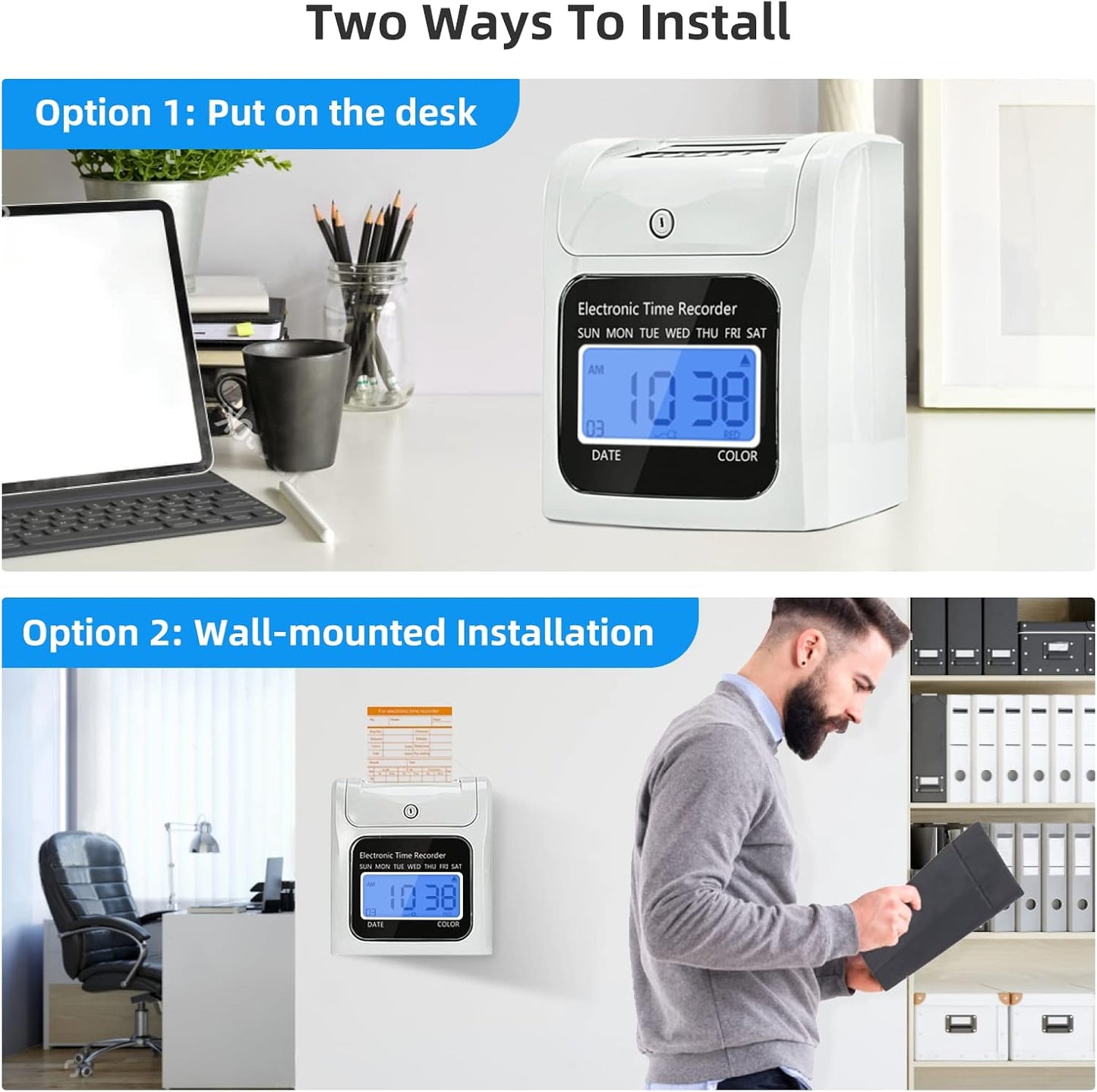
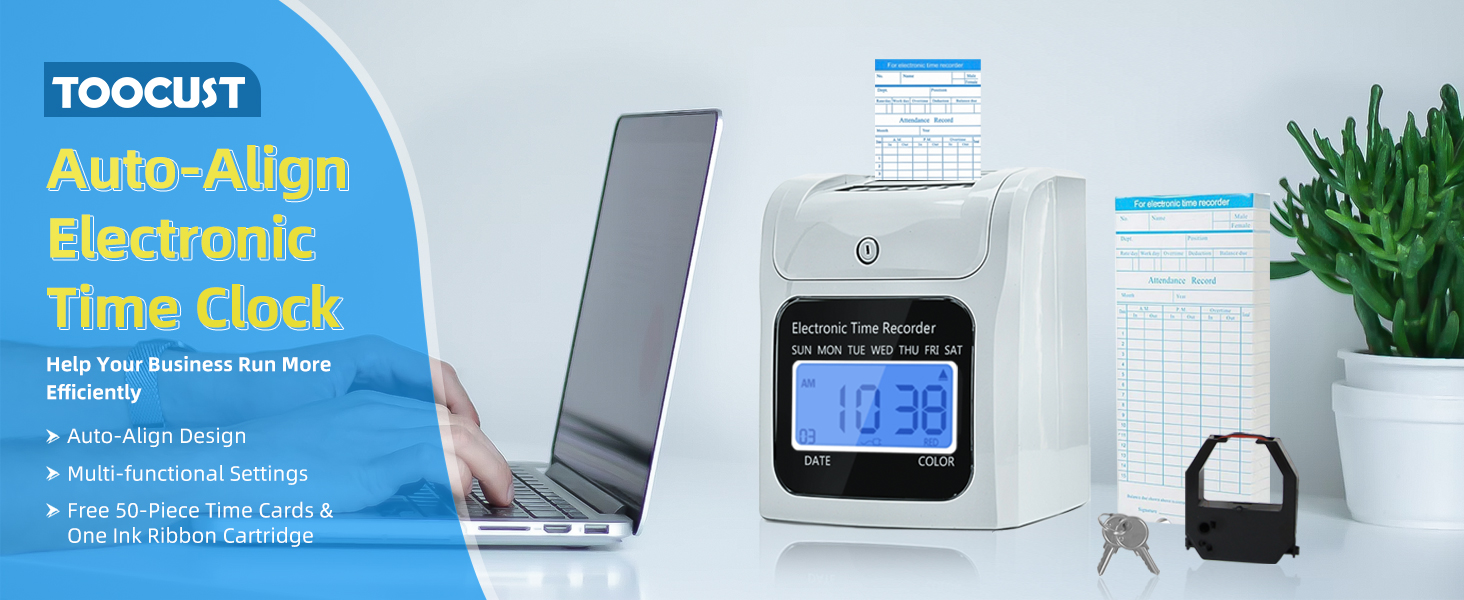
This electronic time clock for small business automates attendance tracking with precision and ease. Compatible with 7.1"ร2.4" time cards (included), it records clock-in/out times, breaks, and lunches for weekly, biweekly, or monthly payroll. The punch in and out machine features auto-align technologyโfeeding cards automatically and correcting misinsertionsโwhile two-color printing (black for on-time, red for late/early) simplifies oversight.
The time clocks for employees package includes everything needed for setup: the machine, time cards, security keys, ink ribbon, and clear instructions. Designed for reliability, it eliminates manual errors and streamlines workforce management.
Ideal for small teams, this electronic time clock balances functionality with simplicity, offering a hassle-free solution for accurate timekeeping.
What Makes Our Electronic Time Clock Stand Out?
Accurate Attendance Record
Compared to traditional attendance records by HR, this time clock keeps accurate records of overtime, late arrival or early leave.
Auto Align Function
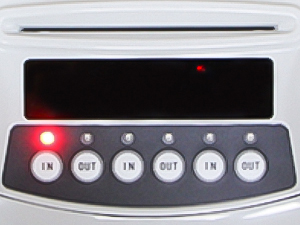
Our time clock punch machine can automatically align the time card, so employees can quickly punch-in/out,, saving much time.
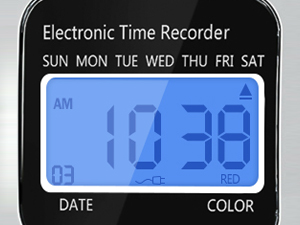
Back-lit Large Screen Display
This time clock machine features a large LED screen, back-lit for clarity even in dark rooms. Large characters clearly display date, time and week.
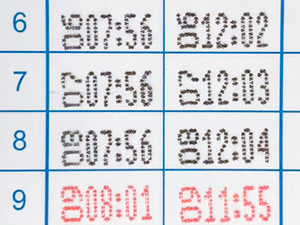
Two-color Printing
The time clock supports two-color printing, helping you quickly identify early and late punches, and improving productivity and efficiency.
- Chapters
- descriptions off, selected
- Captions off, selected
This is a modal window.
hero-video
Merchant Video-
My time card is stuck on the punch machine. What is the reason for this?
Our time clock is only suitable for punching 7.1''ร2.4'' time cards. We recommend you use the matching time cards provided by our store. If using other time cards, please select the correct size.
-
Why the time clock cannot print the date on the electronic time clock?
The date is printed on the time card under the monthly pay mode, while the weekdays and weekends are printed on the time card under the weekly, bi-weekly mode. Please double-check the pay mode setting.
-
How to turn off the ringing?
Pull the 'Set-/0' switch to the right side, press the 'Mode' button and press '+' and '-' to the setting code 13 and press the โEnterโ button. Use button '+' & '-' to set the value to 0. Then, press the โEnterโ button to confirm.
-
How to reset the time clock?
Pull the 'Set-/0' switch to the right side, and press '+' & 'Clear' & 'Mode' buttons at the same time for 5 seconds to reset the clock to the default value.
More Products
| Time Clocks with Keys | Time Clock with Passcode
Buying Options
| Time Clock Bundle (Keys) | Time Clock Bundle (Codes)
Buying Options
| Time Cards | |
|---|---|---|---|---|---|
|
Customer Reviews
|
4.0 out of 5 stars 73
|
3.9 out of 5 stars 19
|
4.0 out of 5 stars 73
|
3.6 out of 5 stars 8
|
4.0 out of 5 stars 73
|
|
Price
| $104.00$104.00 | โ | $133.99$133.99 | โ | $9.99$9.99 |
|
Product Size
| 7"ร4.5"ร8.2" | 7"ร4"ร7.5" | 7"ร4.5"ร8.2" | 7"ร4"ร7.5" | 7.4"ร3.4"ร1.7" |
|
Security Mode
| Keys | Passcode | Keys | Passcode | / |
|
Time Cards
| 50 PCS | 50 PCS | 200 PCS | 200 PCS | 100 PCS |
|
Power Supply
| Corded | Corded | Corded | Corded | / |
|
Number of Ink Ribbons
| 1 | 1 | 4 | 4 | / |
|
10-Slot Card Rack
| / | / | 2 | 2 | / |
Share