

1
/
of
6
Hubssense
TECKNET Trucker Bluetooth Headphones with Microphone Noise Canceling Wireless On Ear Headset, Hands Free Wireless Headset for Cell Phone Computer Office Home Call Center Skype (Black)
TECKNET Trucker Bluetooth Headphones with Microphone Noise Canceling Wireless On Ear Headset, Hands Free Wireless Headset for Cell Phone Computer Office Home Call Center Skype (Black)
Regular price
$79.95 USD
Regular price
$110.99 USD
Sale price
$79.95 USD
Unit price
/
per
Taxes included.
Shipping calculated at checkout.
Couldn't load pickup availability
About this item
- MUTE BUTTON MODE: During a call, you can click the mute button to turn on and off the microphone (only applicable to mobile phone calls).
- SEAMLESS PC & PHONE OPERATION: For computer calls (Skype/Zoom/Teams), please set the headset as the DEFAULT speaker and microphone in your sound settings after pairing. To avoid connection issues, do NOT use the USB dongle and Bluetooth connection at the same time. For mobile phones, simply pair via Bluetooth to answer/end calls with the MFB button.
- AI NOISE CANCELLING MICROPHONE: Bluetooth headphones with microphone for pc can cancel up to 99.6% of background noise around you.
- ALL-DAY COMFORT & 270¡Æ ROTATABLE MIC: Wireless headset with mic for work is equipped with a comfortable on-ear earmuff and ultra-soft protein leather, 270¡Æ rotatable microphone can be used on the right or left side
- EASY TO OPERATE: Through the MFB button on the wireless bluetooth headset, you can easily answer or hang up calls (only useful for phone calls). Use Skype, Zoom or Microsoft Teams on the PC side, please set the headset up through the software
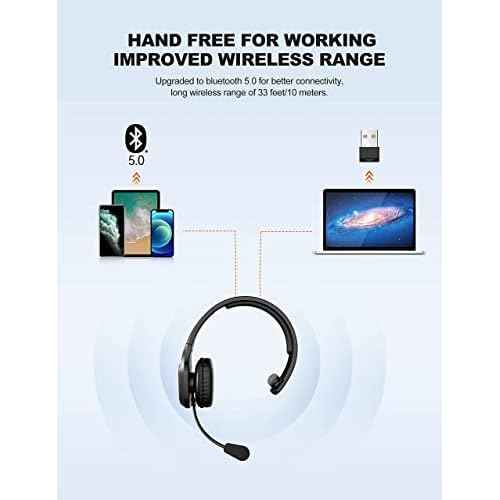
- WITH USB DONGLE: TECKNET usb wireless headset compatible with computers, pc, cell phones, and other bluetooth devices. If your desktop computer does not have bluetooth function, using the wireless headset with mic for work with usb adapter can solve this problem
- MUTE KEY WORK FOT PHONE CALL: With the mute key, you can click the mute button to turn the microphone on and off during a call£¨only for mobile phones call), you can not use the mute function when not on a call
- LONG BATTERY LIFE: TECKNET Trucker wireless headset with mic for work provides up to 50h work time and 85 hours of standby time on a single charge. 1.5-hour full charge time with included type c cable, not recommended for use when charging
- CLEAR COMPATIBILITY & CONNECTION GUIDE: Please ensure that the Bluetooth version of the device connected to the headset is 3.0 or above, otherwise the connection may fail. Please note: This headset is NOT compatible with TVs, Car Bluetooth, Gaming Consoles (X-Box, PlayStation), Bluetooth Speakers, or Cordless Phones. For PC use without built-in Bluetooth, use the included USB dongle for a stable connection.
- 36 MONTHS SUPPORT: Bluetooth headset perfect for call centers, offices, remote work, home, classrooms, Skype, Zoom, VoIP, webinars, and truck drivers. If you encounter any problems, please feel free to contact our professional customer service team
Share