

1
/
of
6
Hubssense
Sticker Printer, Print Pods Mini Printer, Bluetooth Thermal Sticker Maker Machine with 3 Rolls Paper, Print Pod Mini Printers for iphone, Impresora Port?til for Study Note, Journal, DIY, Kids Gift
Sticker Printer, Print Pods Mini Printer, Bluetooth Thermal Sticker Maker Machine with 3 Rolls Paper, Print Pod Mini Printers for iphone, Impresora Port?til for Study Note, Journal, DIY, Kids Gift
Regular price
$46.95 USD
Regular price
$61.99 USD
Sale price
$46.95 USD
Unit price
/
per
Taxes included.
Shipping calculated at checkout.
Couldn't load pickup availability
About this item
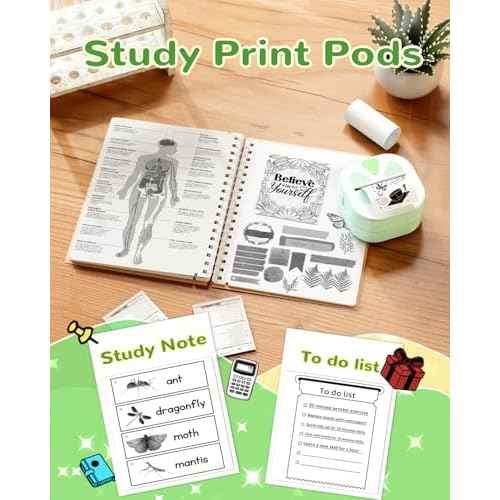
- ¡¼Sticker Maker with 3 Rolls Paper¡½: NADAIIN D20 mini sticker printer make more fun with DIY stickers, various styles of templates, fonts, symbols, graphics, logos and photos could be customized what you want. Private printing of the most special and exclusive sticker paper only for seconds.
- ¡¼Mini Printer for Phone¡½: This sticker maker easy to use for phone & pad (iOS & Andriod), hassle-free, bluetooth connection through the ¡°Nada print¡± APP, just a few seconds. As long as there is a cell phone around, you can enjoy the fun of printing anytime, anywhere, and constantly bursting with new ideas to create unique stickers!
- ¡¼Thermal Sticker Printer ¡½: Thermal technology, Inkless sticker printer high-quality imaging prints, save your money, no ink and toner needed, clean and tidy, rechargeable battery lasts up to one month.
- ¡¼Print Pods Mini Printer¡½: Print paper up to 2"inch wide,continuous paper. Only print black. Printing retro style graphics. Half the size of a phone and weighing only 165g, D20 sticker printer easily fits into pockets and handbags for easy travel and on-the-go printing.
- ¡¼Perfect for Gift¡½: The compact& cute print pod is a perfect gift for kids, children, teens, students, and families. It also takes photos, graphics, banners and notes for celebrations during special holidays, Christmas, back-to-school days, birthdays and so on.
- ¡¼How to Print on Phones¡½:1). Long press the power button to turn on 2). Download NADA PRINT from your app store 3). Enable Bluetooth on your phone and Connect the printer in the NADA App 4). Select the corresponding printer model and select the file to start printing
Share