

Hubssense
Shipping Label Printer - Skiennix 4x6 Bluetooth Thermal Printer for Small Business | Compatible with iOS, Android, Mac & Windows - Navy Blue
Shipping Label Printer - Skiennix 4x6 Bluetooth Thermal Printer for Small Business | Compatible with iOS, Android, Mac & Windows - Navy Blue
Couldn't load pickup availability
- BLUETOOTH CONNECTION FOR SMARTPHONE: Search the phone app on Google Play or App Store, download and install the app(available both for iOS& Android) on your phone or tablet, you can print via Bluetooth. Note: WiFi connection does not work with our thermal shipping label printer.
- USB CONNECTION FOR PC: Impresora termica supports to print thermal labels on Windows and Mac computer and laptop with USB connection. Note: PC and laptop only work with USB connection. This thermal printer is compatible with Win2003/ Win XP/ Win7/ Win8/ Win10/ Mac OS system. One-click design eliminates complex operation issues, very user friendly for the ones who is not so much tech navvy
- HIGH QUALITY THERMAL LABEL PRINTER: Advanced thermal direct technology is adopted, prints by heat, no ink, no toner. All you need is the thermal labels. To simplify the installation, save your time and cost. The label maker is equipped with reliable print head and heat dissipatoin device to achieve high printing speed, up to 72 sheets of 4x6'' shipping labels per minute, high resolution of 203DPI makes the printing clearer
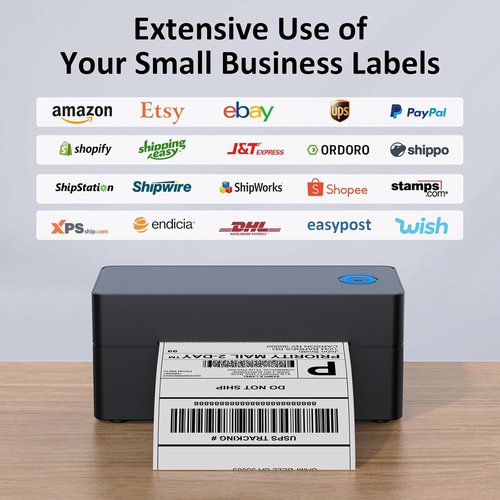
- WIDE COMPATIBILITY: This shipping label printer supports both fanfold labels and roll sticker labels(need extra label holder for roll labels). Support labels with width ranges from 1.2" to 4.3", such as 2x1'', 3x1'', 3x2'', 4x6'' thermal shipping labels. Widly use for shipping packages from most platform, such as USPS, UPS, eBay, Esty, Shopify, Amazon, PayPal, Poshmark, etc. It's ideal bluetooth label printer for small business
- EASY TO SETUP AND OPERATE: Package includes a 4x6 lable printer, a USB drive with printer driver software, video tutorials, user manual, a USB cable, a Type-C adapter and 30 sheets of 4x6'' shipping labels for test. Compact size of 7x3x3 inch to save space, easy to put the bluetooth label printer on any desktop


How to Print on Phone( Bluetooth connection)?
· Step 1: Connect the label printer to power, press the power button to "I" to switch it on.
· Step 2: Open the cover and Load labels. (Please calibrate the printer when you change the label size).
· Step 3: search and download "Print Label" on Google Play or search "Zlabel" on App Store, install the app on phone.
· Step 4: Allow the app to access bluetooth and location on phone.
· Step 5: Connect to printer name "BlueTooth Printer"
· Step 6: Open printing file, choose label size, direction, configure other printer settings as you need.
· Step 7: Preview and print.

Use thermal print technology, all you need is thermal paper , no more ink and toner, not only save money but also be friendly to environment.

Equipped with high grade heat-resistant ceramic print head, with 203 DPI high resolution, you can easily get crystal clear prints every time.

Equipped with high quality rubber feeding roller and heat dissipation device, ensures smooth printing at high printing speed of
7 inch/sec, highly increase the printing efficiency.

How to Print on Computer( USB connection)?
· Step 1: Connect the thermal printer to power, press the power button to "I" to switch it on.
· Step 2: Connect the printer and computer with USB cable.
· Step 3: Open the cover and Load labels. (Please calibrate the printer when you change the label size).
· Step 4: Download driver software from the USB flash drive or website(taidelongtech.com).
· Step 5: Install drivers on computer.
· Step 6: Open PDF file, select printer name “LABEL-9X00"(for Mac) or "LABEL"(for windows), choose correct paper size, and configure other printer settings as you need.
· Step 7: Preview and print.