

Hubssense
ROATEE 991ES MAX Scientific Calculator - 4-Line LCD Display & Portable Notepad for Students | Pink
ROATEE 991ES MAX Scientific Calculator - 4-Line LCD Display & Portable Notepad for Students | Pink
Regular price
$59.95 USD
Regular price
$80.99 USD
Sale price
$59.95 USD
Unit price
per
Taxes included.
Shipping calculated at checkout.
Couldn't load pickup availability
- 991ES MAX Multifunctional Scientific Calculator: ROATEE business calculator features 417 functions, deal For: General math and science, Pre-Algebra, Algebra 1 and 2, Geometry, Statistics and regressioncal culations, Calculus, fractions, decimals, Calculations involving specificnumber systems (BASE-N, binary,octal, decimal,hexadecimal), Complex number calculations, EQN, MATRIX, TABLE, VECTOR, SOLVE, Biology, Chemistry so on and it has memory function calculation more user-friendly
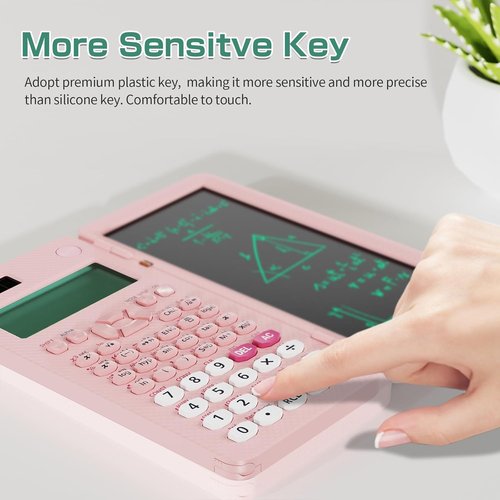
- Scientific Calculator with Notepad: This scientific calculator for school and business intergrates calculation and notebook with a stylus pen. The lcd writing tablet enables you to take notes during the calculation, which do great help for study and work. 👉NOTE!Only Unlock the LOCK KEY will the writing area and the erase button work
- Multiview: display shows 4 calculations at the same time on screen, greatly improves computational efficiency
- Dual Power Solar Panel & Rechargeable: The rechargeable battery is built in this scientific calculator, reduces battery replacement frequency, eco-friendly. It is also powered by solar energy so you don't need to worry about battery depletion.
- Anti-Drop Body with High Durability and Portable: The body of this scientific calculator undergoes rigorous quality tests. Due to the design of anti-drop body, no need to worry about the damage by accidentally falling and it has only weighs 5 ounces can be easily put in your pocket, which is convenient for business and school
- Conversion of Fraction and Decimal: You can change the results through the key 'S⇔D'; Or you can configure calculator setting: 1. Press the button 'SHIFT'. 2. Press the button 'MODE'. 3. Choose 1 or 2 to set the mode of fraction or decimal. 【MthIO for fraction, LineIO for decimal】
- Usage Tips:Our calculator’s default initial input/output mode is MathI (input) / MathO (output). This is designed to preserve data integrity when dealing with decimals and to display expressions in the same way as textbooks (Natural Textbook). If you would like to switch the output to the mode you mentioned, you can do so by pressing: [Shift] → [Function] → [1] (select input/output mode) → [2] (decimal output mode) or [3] (linear output mode) For more operations, please refer to the attachment or the manual.
- What Will You Get?: 991ES MAX scientific calculator*1,usb-c charging cable*1,instructions*1,exquisite packing box*1

Previous page
-

Reliable & Innovative
ROATEE is dedicated to creating high-quality calculators designed to support students and professionals. We focus on providing educational tools that help students achieve excellent results while meeting the practical needs of users. We are committed to sustainability, ensuring that they are not only practical and efficient, but also environmentally responsible.
-
-
Construction Calculator
Construction Calculator with Writingpad
-
ROATEE Graphing Calculators
-
Scientific Calculator with pad
-


High school & College
Visit the Store
-


High school & Middle school
Visit the Store
-


Middle school
Visit the Store
-
-


Next page