

Hubssense
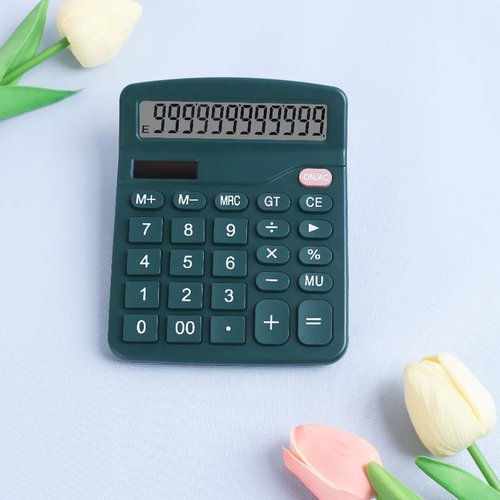
Regine Switzerland Office Desk Calculator - Dual Power Financial Calculator with Large Display (Green)
Regine Switzerland Office Desk Calculator - Dual Power Financial Calculator with Large Display (Green)
Couldn't load pickup availability
- [Dual Power Design] This desktop calculator utilizes both the powerboard and battery power(battery is not included). The powerboard will power up the calculator thoroughly in a lit environment, it's a simple and worry-free partner.
- [12-digit Large Display] The LCD screen displayer clearly shows big numbers makes it easy to read from afar, it's layout and aesthetically pleasing. Max support 12 digits display.
- [Big Buttons] The electronic desk calculator adopts a scientific large button design, which can make you work more quickly, efficiently and conveniently.
- [Mulit-Function] Add, subtract, multiply, divide, backspace, grand total, CE, %, M+/M-/MRC, ON/AC button, and auto Powr-Off. The desktop calculator will turn itself off after about 6 minutes of being idle.
- [Specification ] ABS material, size 5.7 x 4.7 x1.8 In, weight 4 Oz. Doesn't take up much desk space, but it's big enough to be comfortable using it, suitable for business, office, home, school.
NOTE:Please Insert One AA Battery For Continuous And Accurate Usage,even though the desktop calculator can continue to work in a well-lit environment.
Key Functions:
1.[M+]: Memory Plus. Adds the number shown on the display to the number stored in the memory.
Example: 3*2 + 2*6. If you directly inputs these numbers to the calculator,you will see the wrong answer: 48. If you press [3*2], [M+], [2*6], [M+], then press [MR] once, you will get the right answer: 18.
2.[M-]: Memory minus. Subtracts the number shown on the display to the number stored in the memory.
3.[MR]: Memory Recall. Recall the current memory register value ( Effective before pressing MC key).
4.[MC]: Memory Clear. Clear the memory register (set to zero).
5.[GT]: Grand Total. Whenever the [=] key has been pressed, the result will be stored into the Grand Total Memory.
Example: If you want to calculate [2*3+3*5+6*8], press [2*3=], then [3*5=], then [6*8=]. Then press [GT], you will get the right answer [69].
6.[MU]: Calculating Gross Profit Margin (GPM).
Example: Enter [100] then press the [÷], then [15] then press the [MU] key, you will see 117.65 (100/(1-15%)).
7.[AC]: Clear all formats and zero.
Share