

1
/
of
6
Hubssense
Mini Sticker Printer, Portable Thermal Photo Printers with 3 Rolls Stickers Paper, Bluetooth PrintPods Inkless Pocket Printers for Phone, Impresora Port?til for Journal, DIY Notes, Kids Gift
Mini Sticker Printer, Portable Thermal Photo Printers with 3 Rolls Stickers Paper, Bluetooth PrintPods Inkless Pocket Printers for Phone, Impresora Port?til for Journal, DIY Notes, Kids Gift
Regular price
$62.95 USD
Regular price
$85.99 USD
Sale price
$62.95 USD
Unit price
/
per
Taxes included.
Shipping calculated at checkout.
Couldn't load pickup availability
About this item
- ???????????????? ?????????????? ??????????????: Ultra-portable and featherlight, this mini printer slips into pocket, eliminating printing hassles on the move. Perfect for printing to-do lists, study notes, work plans, customize bookmarks, journals, memos, labels, and other thermal printing tasks anytime, anywhere.
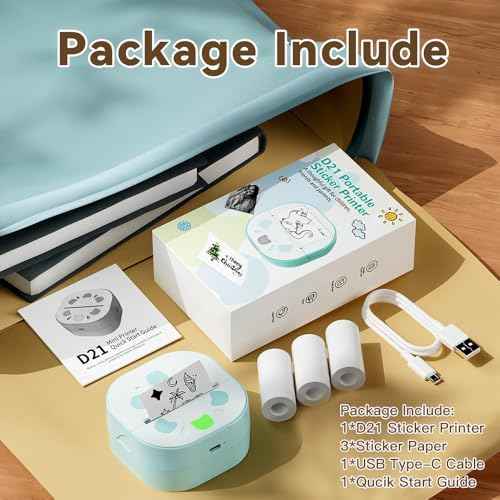
- ???????? ?????????????? ???????? 3 ?????????? ???? ????????????????: Comes with 3 rolls of 3 rolls of 57mm(2.2") ¡¿ 3.5m (12ft) sticker papers. Incorporates unique sticker printing capabilities, allowing you to create a variety of stickers with ease. Personalize your belongings and print your memories as adhesive art within seconds.
- ?????????????? ?????????????? ??????????: This thermal printer allows you to print directly using sticker paper, without the need for any ink. It features a wireless Bluetooth one - touch connection within 2 seconds via the APP (compatible with IOS and Android). Enjoy stickers printing with NADA Print App at your fingertips. Preserve special moments as tangible keepsakes anytime.
- ???????????? ????????& ???????????????? ????????????: Its whimsical toy-like design sparks creativity for all ages, making printing an entertaining activity.
- ?????????????? ???????? ????????????: A standout present for holidays or birthdays, catering to note-takers and memory-keepers who value personal touches.
- ?????? ???? ??????????: 1. Hold power button to activate. 2. Pair with NADA PRINT App. 3. Select the corresponding printer model-Photo Print, Docs Print, Note, etc. 4. Input your content - Print
Share