

Hubssense
Merryking AI Language Translation Earbuds - Real-Time Translator for 169 Languages | HD Sound & Long Battery Life, Beige
Merryking AI Language Translation Earbuds - Real-Time Translator for 169 Languages | HD Sound & Long Battery Life, Beige
Regular price
$13.95 USD
Regular price
$13.99 USD
Sale price
$13.95 USD
Unit price
per
Taxes included.
Shipping calculated at checkout.
Couldn't load pickup availability
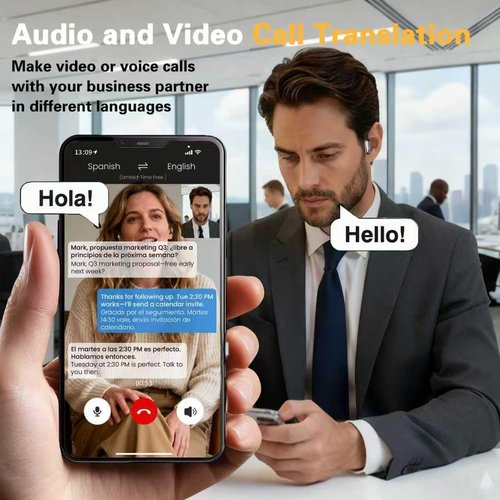
- Multi-language translation: High-precision 144-language translator earbuds, real-time two-way translation and certain off-line package requires in-app purchase including Chinese, English, Japanese, Korean, Russian, German, French and Spanish
- Multi-scenario translation modes & privacy protection: The headset provides a variety of innovative translation modes, including free talk mode, offline mode, audio transcription and photo translation, ensuring clear communication in different scenarios. The headset supports offline language translation, which protects user privacy and avoids network latency and the risk of data leakage
- 3-in-1 Functionality and HD Sound Quality: These language translator earbuds offer versatility and convenience for work and everyday life, combining translation, music playback, and phone calls. The translator earbuds provide HD sound quality to ensure clear audio, regardless of the occasion
- Super long battery life: Benefit from an extended battery life with our translation earphones, which provide up to 4 hours of listening time and a communication range of 10 meters, featuring a fast-charging compartment, they ensure greater convenience whether you're translating or enjoying music
- Comfortable to wear: The headset adopts an ergonomic ear-hanging design to ensure comfortable wearing, even for long time use without pressure


Previous page


Next page
Previous page
-

Business Meeting
In international business meetings, M75 can translate multiple languages in real time, helping participants from different language backgrounds to better understand and communicate.
-

International Travel
When you're traveling abroad, M75 can help you communicate easily, whether it's at a hotel, restaurant or local attraction.
-

Learning & Training
During classroom learning or training sessions, M75 can provide instant language translation to help learners better understand the content.
Next page
Previous page


Next page
Previous page


Next page