

Hubssense
95% Clear Sticker Paper - Printable Vinyl for Inkjet & Laser Printers | 20 Sheets, 8.5x11 Waterproof Labels
95% Clear Sticker Paper - Printable Vinyl for Inkjet & Laser Printers | 20 Sheets, 8.5x11 Waterproof Labels
Regular price
$23.95 USD
Regular price
$27.99 USD
Sale price
$23.95 USD
Unit price
per
Taxes included.
Shipping calculated at checkout.
Couldn't load pickup availability
- Nearly invisible: Achieve nearly invisible results with our 95% clear sticker paper, perfect for sleek, professional-quality labels and crafts. Transparency can vary by background—best results on light, smooth surfaces.
- Inkjet and Laser Compatible: Works with most inkjet printers and laser printers. For best results, use Photo/Best/Labels/Heavy Paper settings and Color printing mode, and allow ink to fully dry before handling.
- Easy Application: Features clear contact paper peel and stick backing for effortless peeling and strong adhesion to most surfaces
- Weather-Resistant: Made with transparent waterproof adhesive, ideal for indoor and light outdoor use
- Multipurpose Use: Create clear labels for printer, clear mailing labels printable, or transparent stickers for DIY projects, packaging, and more


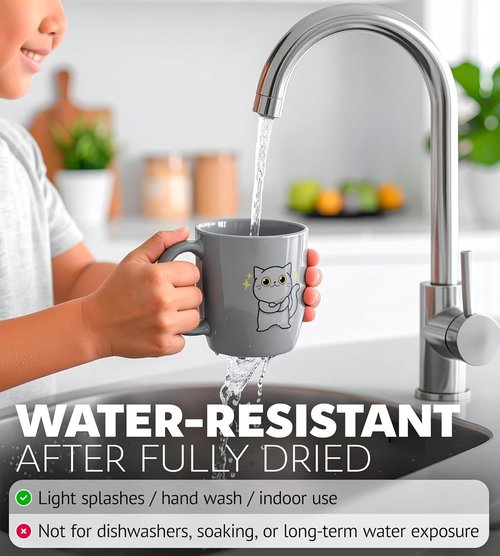
Waterproof
Great for everyday labels & stickers. Let prints fully dry for best water resistance. For bottle/outdoor use, add lamination/extra coating.

Quick Dry
Dries fast—about 5 min to the touch for smudge-free handling. For best durability, allow 15–30 min to fully dry (ink type & coverage vary).

Durable
Made for daily use with sharp prints. Resists scratches and wear, and the sturdy sheet helps prevent tears during printing, cutting, and peel.

Jam Free
Works with most inkjet & many laser printers. Feed 1 sheet at a time via rear/manual, keep flat & store dry. Use Photo/Best/Labels settings.
Previous page
-

STEP 1 - PRINT
Work with most printers
-

STEP 2 - CUT
Ideal for cutting with a machine or by hand
-

STEP 3 - STICK
Important: before sticking, ensure you wipe down the surface!
Next page